Spend less time winning the work.Get paid for more of what you do.

AirQuotes drafts your proposal from call notes. Once it’s signed, it becomes a project you can manage in the same place. So you can spend more time doing the work you love.

Fenwick Studio · sample data

Start from a brief or transcript

Paste the call notes. AirQuotes drafts the proposal around your packages and brand, and you edit before anything is sent.

Supports transcripts up to 15 minutes.
AirQuotes is in beta65 studio spots, reviewed by handTwo months on the Studio plan, no cardFounding members keep a permanent discount
How AirQuotes works

From first call to signed project.

Turn your notes into a proposal, make it yours and get it signed. Then bring your client into the project, where they can review and approve the work. Everyone knows what’s next.

Where the hours go

The unpaid work starts before the project and carries on after it is won.

Writing the proposal is the first part. Winning it brings approvals to chase, a schedule to keep current and an invoice to raise. None of it reaches a timesheet. These numbers cover the proposal alone.

2–6 hrs
Time per proposal
Spent before you know whether you’ve won the job. Drafting from the call notes turns most of that into a review.
~40%
Average studio win rate
More than half your proposals go nowhere, unbilled either way. Seeing when a client opens one tells you which deserve the follow-up call.
8–24 hrs
Unbilled every month
Three to four proposals a month, one to three billable days. Once a client signs, the same plan becomes the board, the portal and the payment schedule.

Those hours go
somewhere.

Into rewriting proposals from scratch, chasing clients who went quiet, and retyping agreed plans into your task list.

Hours spent on a proposal for a client who may never reply.

Scope, phases and terms rebuilt from the last document, with the last client’s name still hiding inside it, for a reply that may not come.

Keen when you spoke, silent once they saw the fee.

The client scrolls straight to the total, the follow-up a week later goes unanswered, and the next proposal goes out cheaper to be safe.

The proposal is approved by someone you never spoke to.

You walked your contact through the project, then they forwarded the proposal to a director or finance lead who wasn’t there. They skip to the total, compare it with the number they had in mind and reply that it’s over budget.

Once the client signs, the plan gets rebuilt by hand.

You copy the phases into a task list by hand. Client approvals get lost in email, and invoices go out whenever someone remembers.

Less time chasing clients. More time on the design work.

Turn your call notes into a draft, walk the client through it as slides, and see who read the fee and when it was opened from a forwarded link. When they sign and pay the deposit, the agreed phases become the project plan.

Apply for beta access

Your call notes become the proposal. The signed proposal becomes the project.

From the first enquiry to the final approval, keep the details out of your head and in one place. Here is how AirQuotes helps you spend less time writing, checking and chasing.

A head start, every time.

You have already done the thinking on the call. Use those notes to draft your proposal, so you can spend your time refining the offer instead of facing another blank page.
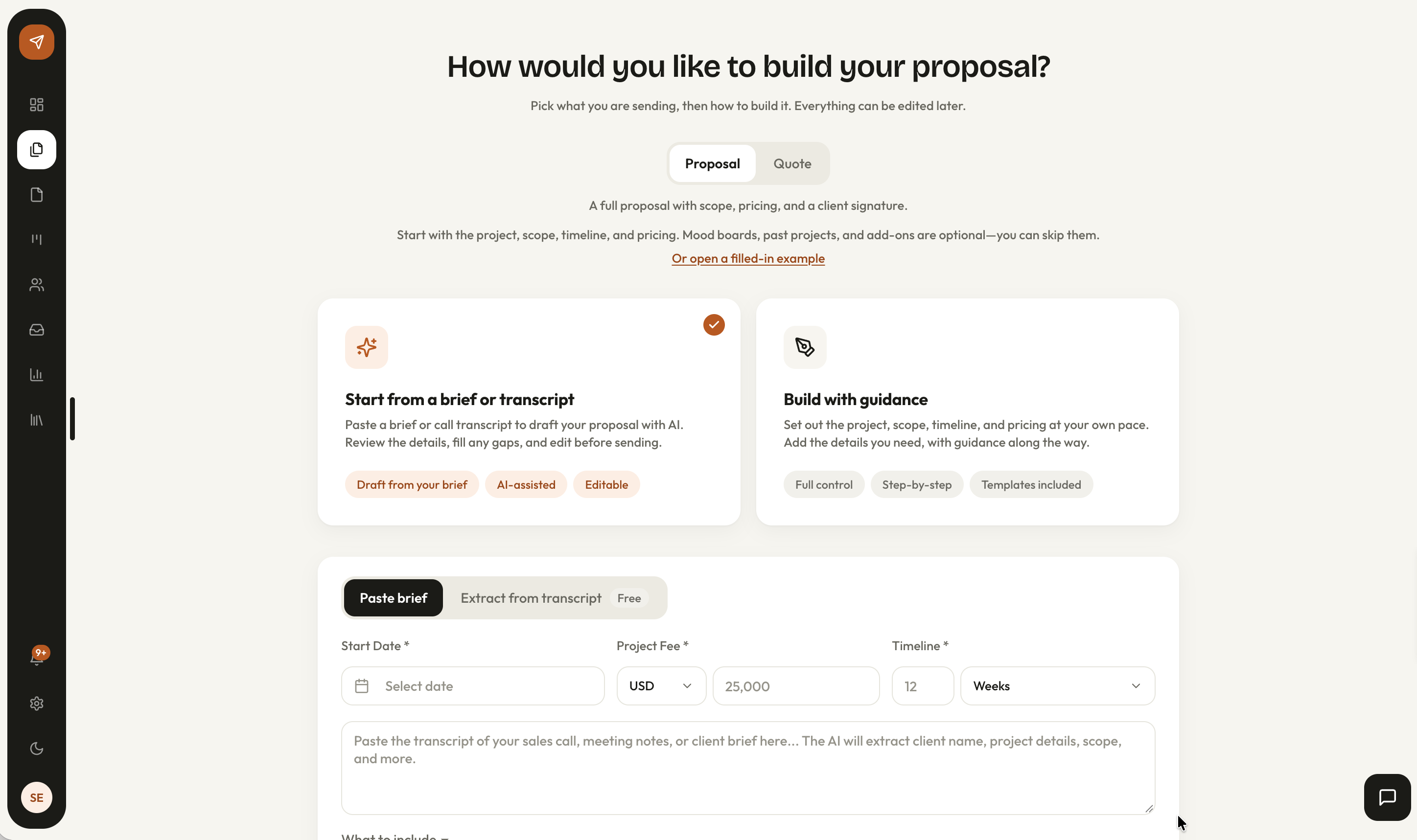
The new proposal screen in AirQuotes, with the option to start from a brief or transcript selected.
  • Any state of notes. A transcript, a brief or three lines from the call all work as a start.

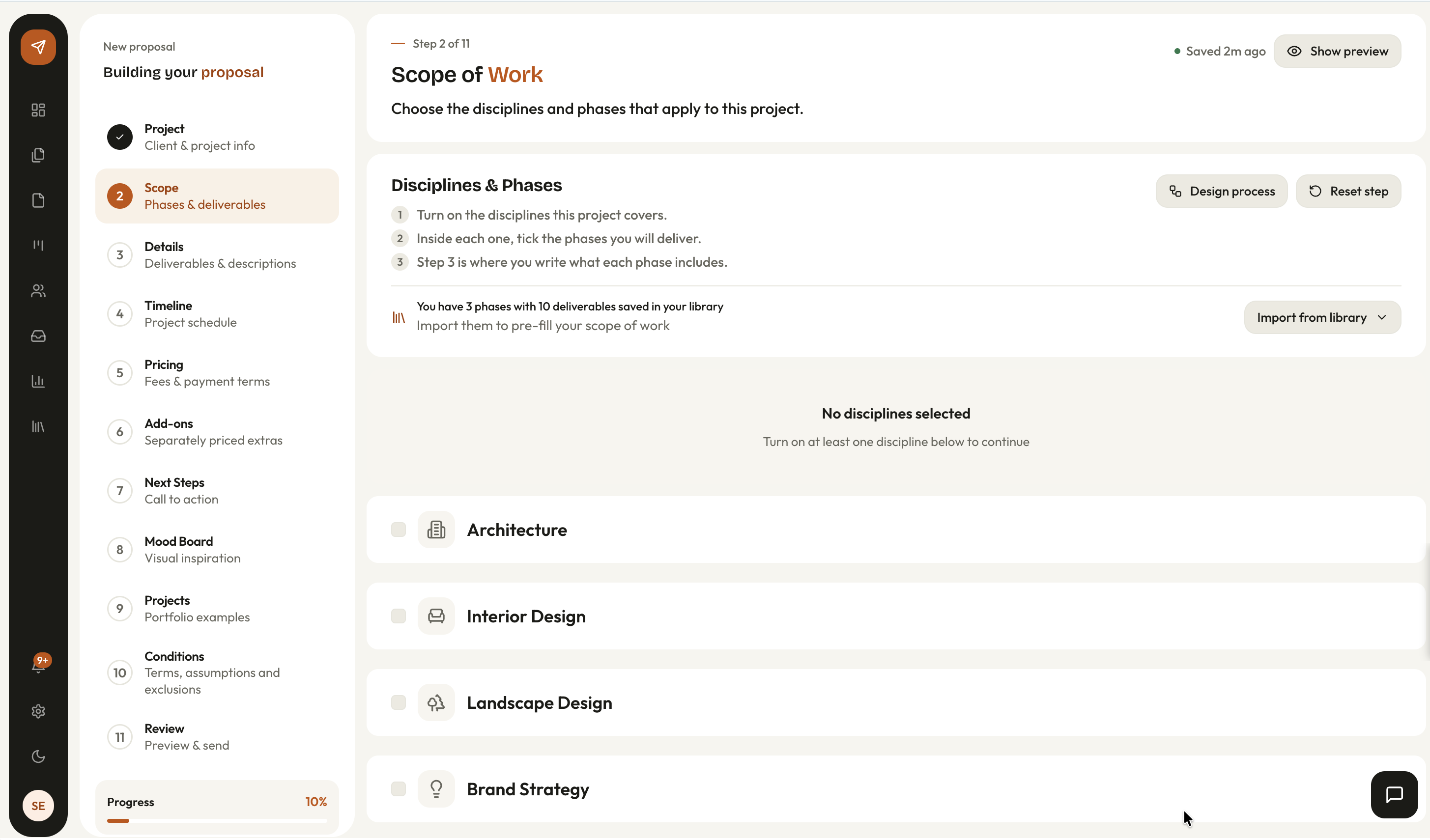
  • Seven disciplines. Architecture, interiors, landscape, brand identity, brand strategy, visual design and web.
Feel confident about what you’re agreeing to.

Make the scope, fees and boundaries clear before work begins. AirQuotes organizes the proposal for your discipline; you review every detail before the client sees it.

The scope of work step in AirQuotes, where the disciplines and phases for the project are chosen.
  • Your library. Packages, terms and next steps are saved once and carry into every proposal.

  • Your brand. Logo, typography and fee structure applied without opening a template.

Less wondering. A clearer next step.

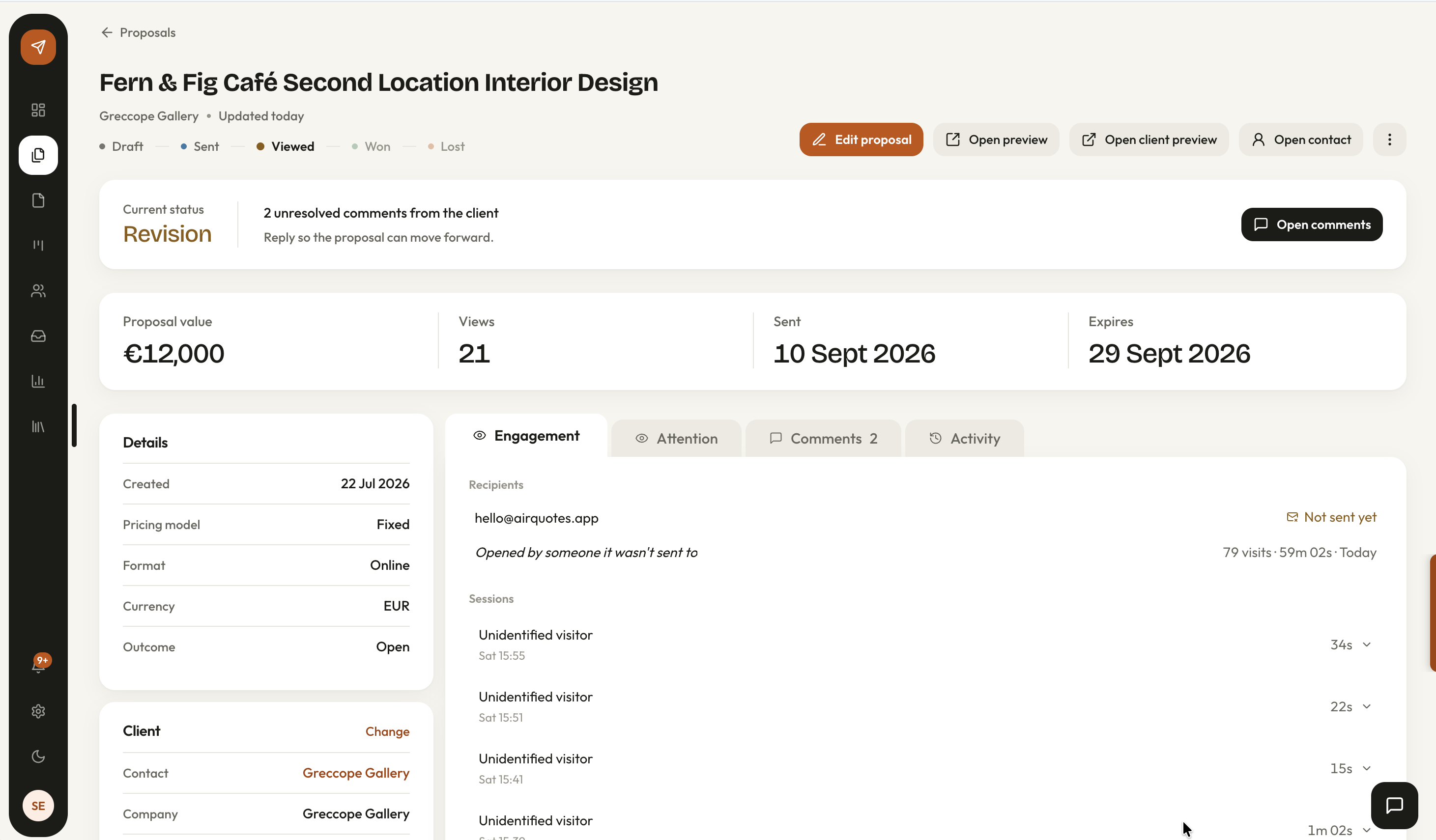
See when your shared proposal is opened, so your next follow-up starts with context. When the client is ready, they can sign right there, without printing or sending a PDF back.

A shared proposal in AirQuotes showing its Viewed status, view count, client comments and engagement history to give the studio context for following up.
  • Signed where it is read. The client signs on the same page, with no account and no password.

  • Follow-ups on a date. Every sent proposal gets a follow-up date on your Office board and calendar.

Carry that clarity into the project.

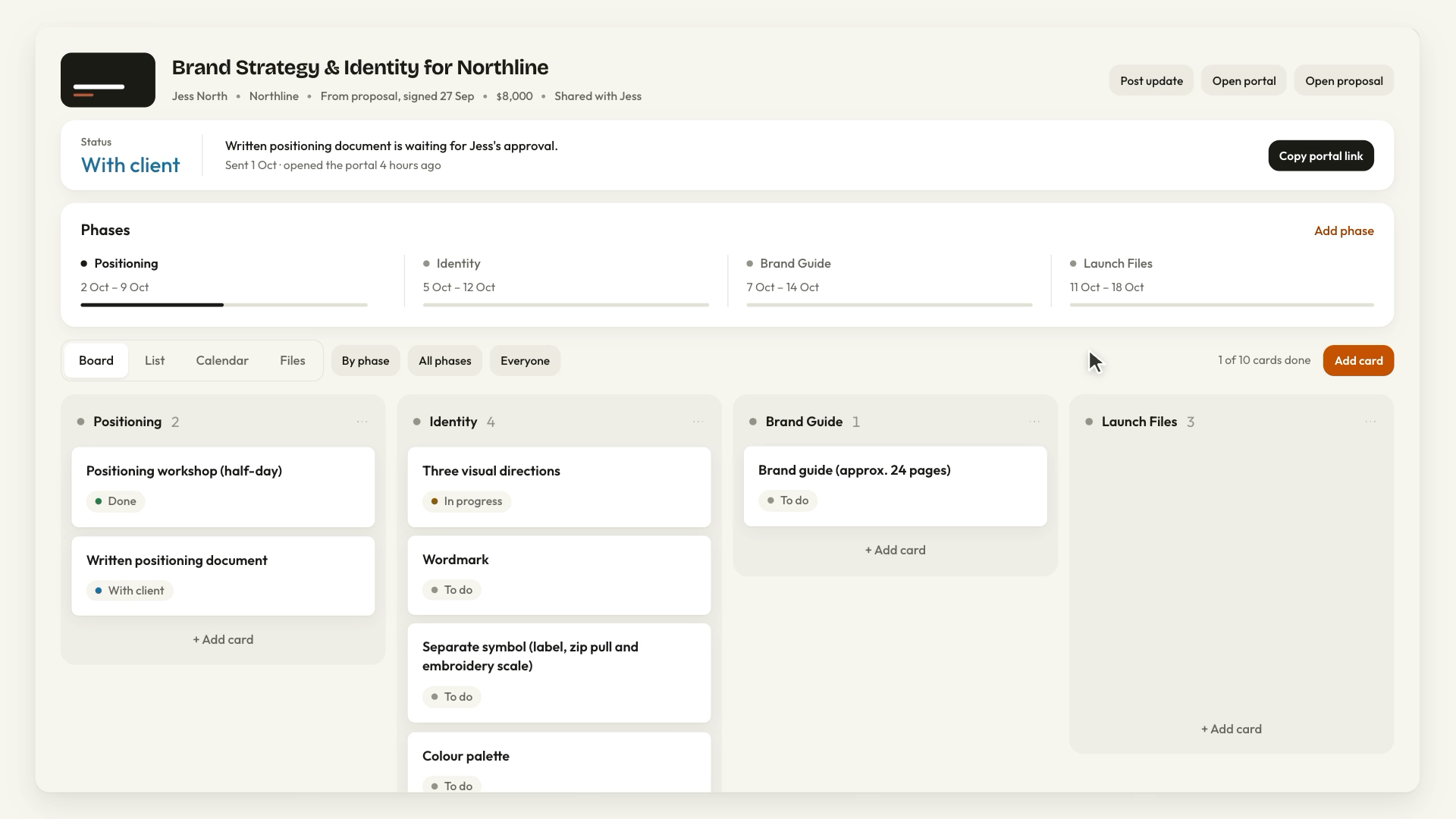
Start the work with everyone looking at the same plan. Turn the signed proposal into a project board in one click. Clients can see what is next, approve work and find payments due in their portal.

The Northline project in AirQuotes: the status band, the four phases, and the board with its cards grouped by phase.
  • The board. Each deliverable is a card grouped by phase, with due dates from the proposal timeline.

  • Payments. Milestones turn due when their phases are done, with a Pay button on your own payment link.

What you get with AirQuotes

Proposal drafts

A head start on every proposal.

Turn your call notes or client brief into a structured draft you can review and refine.

Studio branding

Your studio. Your first impression.

Carry your logo, colours and typography into every proposal, without formatting it all again.

Reusable library

Your best thinking, ready to reuse.

Save packages, terms and next steps in your library. Start with what already works.

Links, slides and PDFs

Present it your way.

Share a link, walk clients through a deck or export a PDF. Choose what fits the conversation.

Proposal tracking

Know when it catches their eye.

See when your shared proposal is opened and which sections get attention before you follow up.

Built-in signatures

Make it easy to say yes.

Clients sign on the proposal itself. You countersign, with no printing or PDF to chase back.

Project boards

Know what needs you next.

Turn the agreed proposal into a project board, with deliverables and deadlines together.

Client portal

Fewer emails. Clearer approvals.

Clients review, approve and request changes in one shared portal.

Payment milestones

Know what’s due. See what’s paid.

A shared payment schedule, your payment link and a record of what you’ve confirmed as paid.

Studio admin

Less to keep in your head.

Onboarding and follow-up tasks appear as the work moves forward.

What beta users get

Free access while we build.
Your feedback shapes what ships next.

Beta access is free for the duration. In return, we want to know what works, what doesn’t, and what’s missing for your discipline and the way your studio actually runs.

01

Full product access

Every feature, all seven disciplines, unlimited proposals, and the project board and client portal for every job you win. Nothing is locked or limited during the beta period.

During beta
02

Direct line to the founder

Your feedback goes into the product. Beta users speak directly with the person building it, and those conversations determine what gets built next.

Throughout
03

Founding member pricing

When paid plans launch, beta users lock in a permanent discount. Pricing is published during the beta so you can see it before it is final.

Permanent
Join the beta

Make space for your next great project.

Spend less of your week preparing proposals and chasing details. Try AirQuotes with your next real enquiry. Beta studios get two months on the Studio plan, and we follow up within a few days of your application.

Apply for beta access
Questions

What studios ask before they apply.

The beta terms, what your clients see, and what happens to your work after the two months.

  1. Design studios that write proposals for clients: architecture, interior design and landscape on the spatial side, brand identity, brand strategy, visual design and web design on the digital side. The application asks how you put proposals together now and how many go out a month, and we follow up within a few days.

  2. Nothing. Beta studios get two months on the Studio plan, with no card at any point. After that the account moves to the Free plan and keeps everything you made.

  3. Nothing is deleted. Every proposal stays viewable and editable on the Free plan, and signed proposals stay accessible on every plan. Free covers two proposals and two signings a calendar month; the paid plans have no limit on either.

  4. No. Your client reads the proposal from its link and signs on the same page by drawing or typing a signature. For the client portal, each person you add gets their own sign-in link by email, with no password and no account to create.

  5. Architecture, interior design, landscape design, brand identity, brand strategy, visual design and web design. Each has its own phase structure and deliverables, so the scope it drafts matches how that discipline runs a project.

  6. Yes. Your logo, letterhead, colours and typefaces work on every plan including Free. Free proposals carry a small “Made with AirQuotes” line in the footer; paid plans do not.

  7. Yes, on every plan. Profile › Your data › Export downloads one ZIP with your proposals, the directory, the library, templates and brand kits, studio settings and your images.