Know what happens after you send.
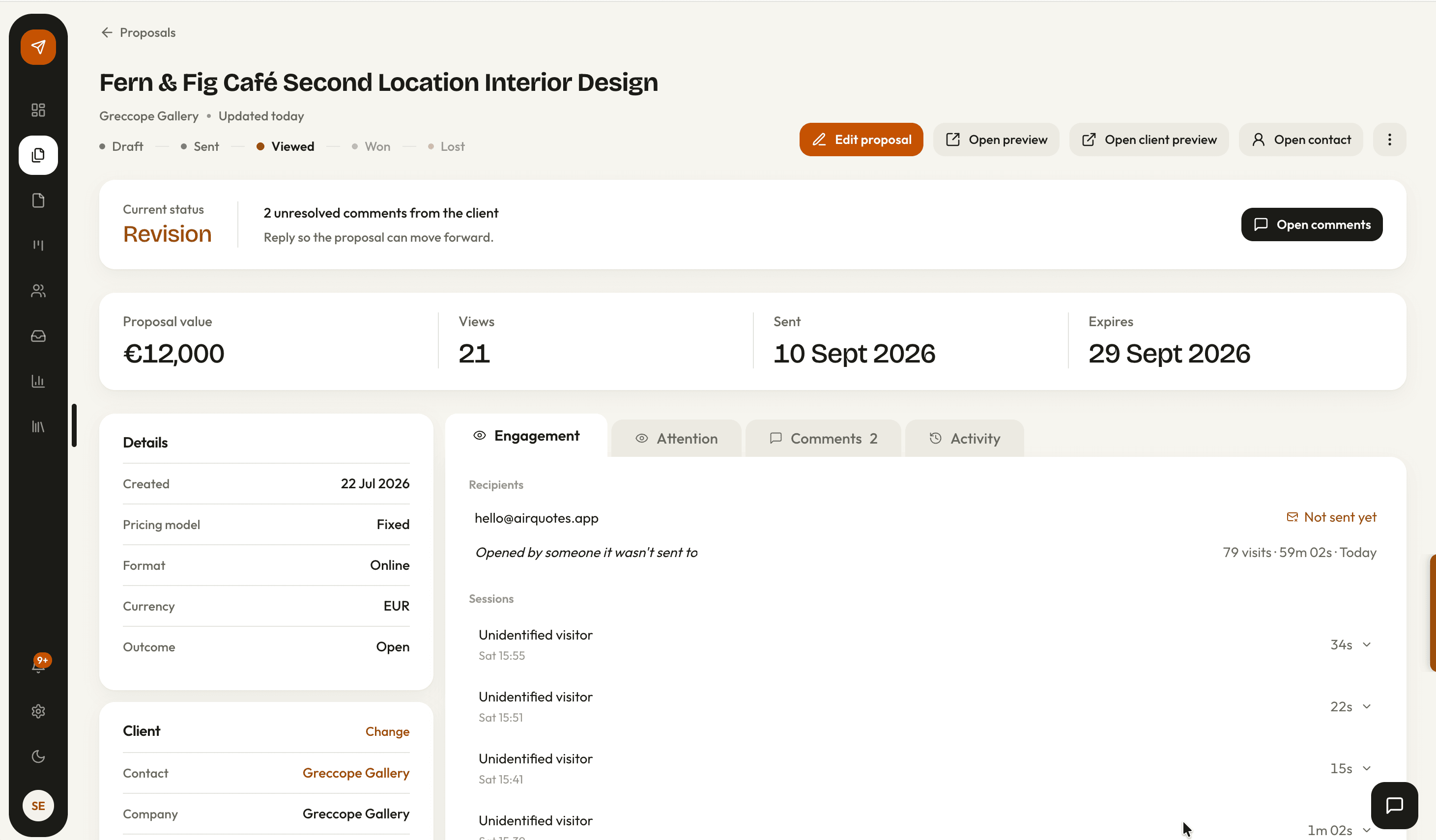
Every proposal shares as a signed link with an expiry date and an optional password. From the moment it goes out, AirQuotes records how the client engages with it.
How it works
Generate the link
A proposal shares as a URL with its own slug. Choose whether it opens as the full proposal or the single-page quote summary.
Set the terms of access
Give it an expiry date, and a password if the contents warrant one. The expiry you were shown is the one that gets emailed, and it is not silently re-issued behind you.
Send it to named people
Send from AirQuotes with a message, or copy the link. Anyone you send to by name is tracked as themselves; a forwarded link still records the read, without a name on it.
Watch what they read
You get notified on the first open. After that the proposal records who opened it, how long they stayed, and which sections held them.
A link with conditions on it
A PDF attachment goes anywhere and tells you nothing. A link can expire, can be password-protected, and can distinguish the person you sent it to from the person they forwarded it to.
- Its own slug, so the URL is not a guessable id
- An expiry date, renewable when a deal takes longer than expected
- Optional password protection for work under NDA
- Two share formats: the full proposal, or a one-page quote summary with phases and investment
studio.airquotes.app/p/9f3c4a2b
- Expires
- 25 May 2026
- Password
- Set
- Sent to
- Melissa Cope, Tom Reid
- Forwarded reads
- Recorded without a name
Read time, by person and by section
The useful question is not whether the proposal was opened. It is which section the person who signs off spent four minutes on, and which one they never reached.
- Time recorded per block, not just per document
- Attributed by name where the link was sent to that person
- Session totals answering how long each visit lasted
- Forwarded and unattributed reads still recorded, just without a name
- Investment214s
- Scope of work176s
- Timeline88s
- Terms61s
- Mood board24s
The conversation stays on the document
Feedback that arrives as an email quoting a paragraph number costs more to act on than feedback anchored to the paragraph. Clients comment on the proposal itself.
- Select any passage and leave a comment anchored to it
- Email notification, and a reply in the same thread
- Where the proposal carries pricing options, the client picks one in place
- The selection is recorded on the proposal, so the accepted scope is not a matter of memory
… joinery to the kitchen island is excluded from this phase and priced separately …
Against sending a PDF
| What changes | PDF by email | AirQuotes link |
|---|---|---|
| Knowing it arrived | Ask, a week later | Notified on the first open |
| Who read it | Unknowable | Named where you sent it by name |
| What they read | Unknowable | Time per section |
| Fixing a mistake after sending | Send a second PDF and hope they open that one | Update the document behind the same link |
| Feedback | An email describing a page number | A comment anchored to the passage |
| Choosing an option | A reply saying “the middle one” | Selected on the proposal and recorded |
| Access control | None once it is forwarded | Expiry, and a password if needed |
Scroll the table sideways for the AirQuotes link column.
What it does not do
It does not tell you who forwarded it
A read from an unknown link is recorded without a name. You can see that someone else opened it; you cannot see who, and no amount of tracking should pretend otherwise.
Time on a section is not interest
Four minutes on the investment table might be careful reading or a phone left open on a desk. It is a prompt for a better follow-up question, not an answer.
A password is not security
It stops a forwarded link opening for a stranger. It does not protect a document from someone the client deliberately shares the password with.
It cannot make them read it
Tracking tells you the proposal went unopened for nine days. What to do about that is still the part that takes judgement.
Asked before you ask
How is a read attributed to a person?
When you send from AirQuotes, each recipient gets their own link. Opens from that link are recorded against that person. A link that has been forwarded, or copied and pasted, still records the read but without a name attached.
Can I change the proposal after sending?
Yes. The link points at the document rather than a copy, so a correction reaches anyone who opens it afterwards. If signing has been enabled, the version that was signed is fixed separately.
What is the difference between the two share formats?
Full proposal shares the whole document. Quote shares a single-page summary carrying the phases and the investment, which suits a client who has asked for a number rather than a document.
Do links expire?
They carry an expiry date, and you can renew it when a deal runs longer than expected. The date you were shown when you generated the link is the date that gets used, rather than a fresh one being minted each time you open the share dialog.
Can clients comment without an account?
Yes. They select the passage and leave the comment on the shared link. You are notified by email and reply in the same thread. Comments are available on the Solo and Studio plans.
See it on your next proposal.
Beta access is free for two months on the Studio plan. Applications are reviewed manually, and approved studios build their first proposal from their own brief.
Apply for beta →