For design studios waiting on a yes
Send the proposal. Keep it moving.
One link for your client to read, ask questions and sign. A clearer view of what happens next.
The call went well. Then nothing.
You send the proposal and wait. Did they open it? Is there a question about the fee? Who still needs to sign? AirQuotes keeps the proposal and the conversation in one place, so your follow-up has context.
From first read to signed proposal.
Know more than “sent”.
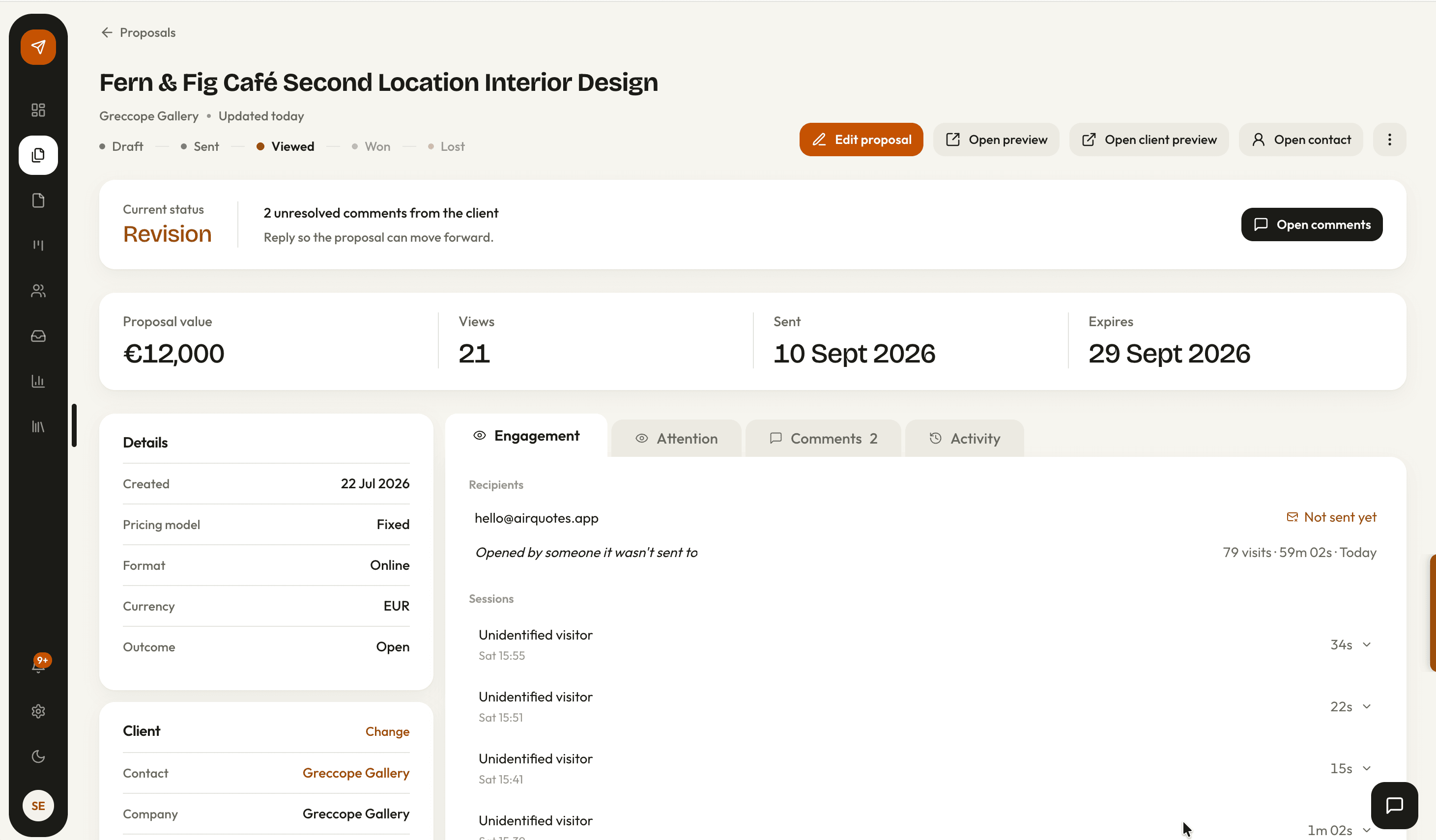
See when the proposal was opened and which sections received attention. Start your follow-up with more than a delivery receipt.
Keep the question beside the fee.
Clients comment on the proposal. Your answer stays with the section they are reviewing, ready when they return.
Give their yes somewhere to go.
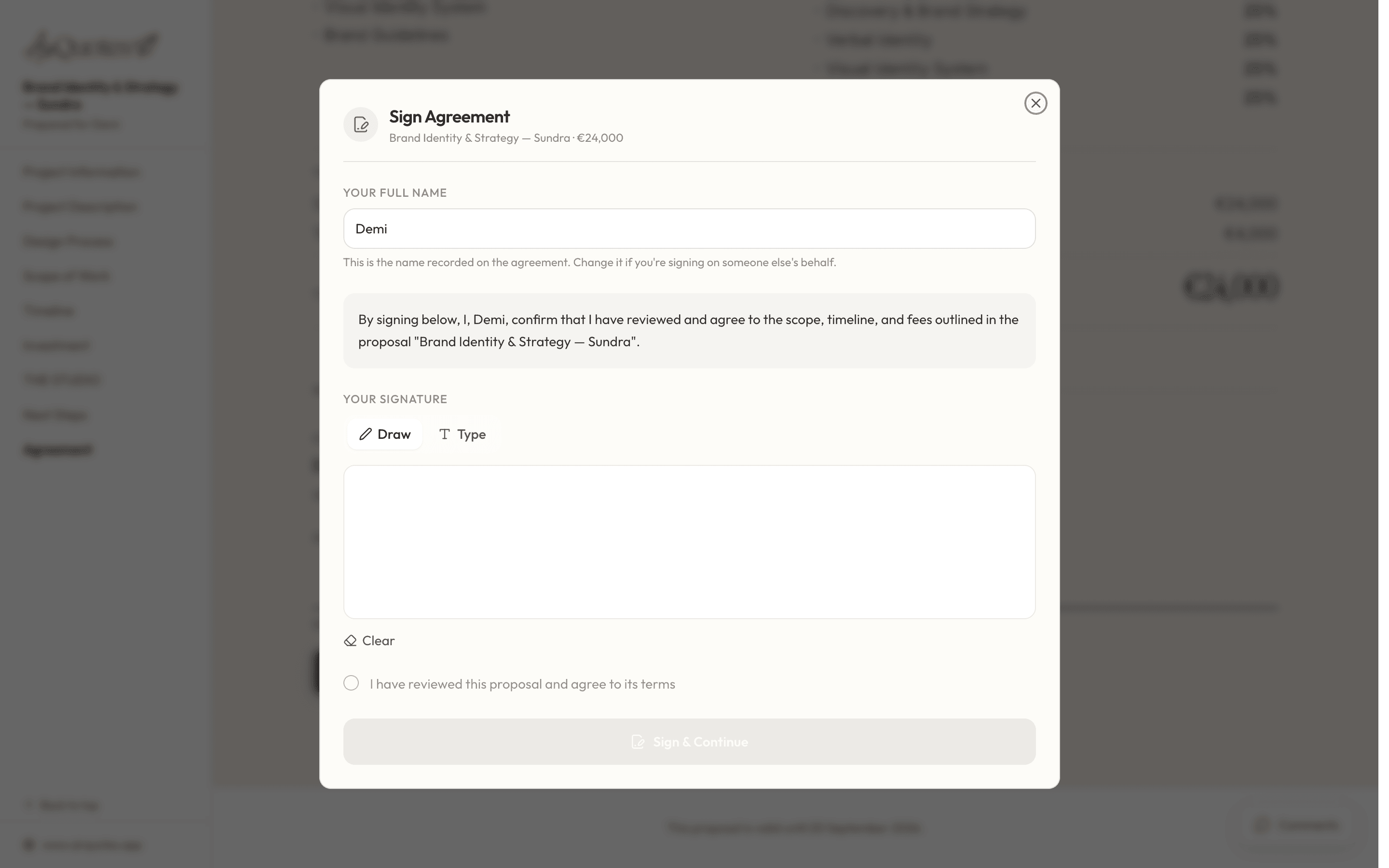
Clients sign in the browser. Both sides can download the signed proposal, and you can turn the agreed scope into a project.
Before you send it.
Can I make the proposal look like my studio?
Yes. Use your logo, colours and typography, then edit the proposal content before sharing it. Your client opens a branded proposal page.
Can I still send a PDF?
Yes. You can export a PDF. The shared proposal link is where your client can comment and sign, and where AirQuotes records reading activity.
What happens after the beta trial?
Approved applicants get two months on Studio without a card. After that, the account moves to Free and your work stays editable. You can choose a paid plan when you need it.
Your next proposal. One link.
We are inviting our first studios to try AirQuotes. Send a real proposal, see how the conversation goes and help us improve the workflow.
Apply for betaAn invitation to our first studios
2 months on Studio
No card required. For approved beta applicants.